Examples
Here we show how you can generate the pattern-based embedding of
a time series in a number of ways. Specifically, we show how to
handle both univariate time series and
multivariate time series. We
also provide an example of how to use PaTSEmb for learning the
typical patterns in a collection of time series.
Finally, we also show how to compute the embedding in an
online manner.
The code below is necessary to initialize a pattern-based embedder. We will use this embedder throughout all examples.
from patsemb.discretization import SAXDiscretizer
from patsemb.pattern_mining import QCSP
from patsemb.pattern_based_embedding import PatternBasedEmbedder

# Specify a discretizer and pattern miner, or use the default values
pattern_based_embedder = PatternBasedEmbedder(
    discretizer=SAXDiscretizer(alphabet_size=8, word_size=5),
    pattern_miner=QCSP(minimum_support=3, top_k_patterns=20)
)
The examples described below are also available in the examples notebook!
Univariate time series
In its easiest form, PaTSEmb can be used to embed univariate time series.
Below we show how to embed a sine wave with some Gaussian noise. PaTSEmb
follows as much as possible the typical Python conventions via the following methods:
fit(X, y): Transform the time series into a symbolic representation and mine the sequential patterns in it. Some ground truthycan be provided, but most often this will be ignored by the discretizer and pattern miner.transform(X): Transform the time series into a symbolic representation and locate where the mined patterns are. These locations are then used to create the pattern-based embedding.fit_transform(X, y): Chain thefit(X, y)andtransform(X)methods.
The PatternBasedEmbedder does not have a predict(X) method, because
prediction is part of the downstream task. Below, we show how to embed a simple univariate
time series.
# Create a sine-wave with Gaussian noise
univariate_time_series = np.sin(np.arange(0, 50, 0.05)) + np.random.normal(0, 0.25, 1000)

# Create the embedding
embedding = pattern_based_embedder.fit_transform(univariate_time_series)

Multivariate time series
Handling multivariate is exactly the same as handling univariate time series, as illustrated by the code below. The used data for this example can be found on this GitHub repository. For multivariate time series, patterns are mined in each attribute. The created embeddings are consequently concatenated.
# Load the first three time series of the collection of time series
multivariate_time_series = np.load('z-grouping-synthetic.pickle', allow_pickle=True)['X'][:3].T

# Create the embedding
embedding = pattern_based_embedder.fit_transform(multivariate_time_series)

Collection of time series
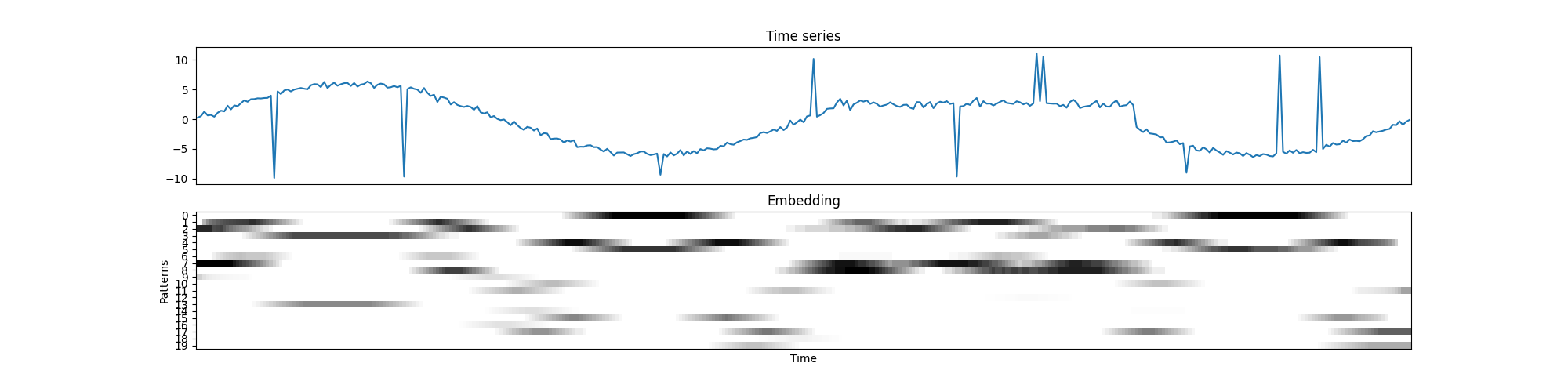
While you can only pass a single time series to the transform(X) method, to embed a single
time series, it is possible to learn the patterns from a collection of time series in the fit(X, y).
Next, you can embed another time series using the mined patterns, without every having mined patterns
in it. In the code below, we treat the attributes from the multivariate example above
as univariate time series. The embedder is fitted using the orange and green time series, and then
we create the embedding for blue time series.
# Initialize a collection of time series
collection_of_time_series = [time_series for time_series in np.load('../data/z-grouping-synthetic.pickle', allow_pickle=True)['X'][:3]]

# Fit the embedding using the collection of time series, except the first time series
pattern_based_embedder.fit(collection_of_time_series[1:])
embedding = pattern_based_embedder.transform(collection_of_time_series[0])
Batched online pattern-based embedding
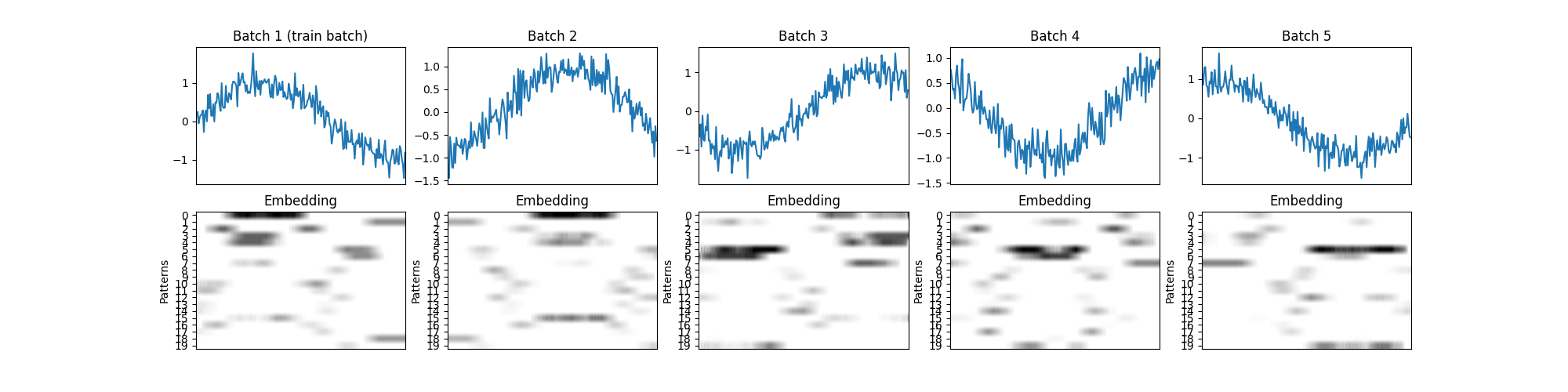
The approach to handle a collection of time series can be extended to embed a (univariate or multivariate) time series in an online, batch by batch manner. Assuming we have some training data (e.g., the first batch), the pattern-based embedder can be fitted using the training data, thereby capturing the typical shapes of the train set. Next, whenever a new batch arrives, it can be transformed into a pattern- based embedding using the learned shapes. Below is an example provided of this approach.
Note
Using this approach, the batches are treated independently. Thus, a pattern located at the intersection of two batches will not be recognized. This issue can be solved by transforming an additional batch, which partially covers the two consecutive batches.
# Initialize the time series
univariate_time_series = np.sin(np.arange(0, 25, 0.025)) + np.random.normal(0, 0.25, 1000)

# Create the batches
nb_batches = 5
batch_size = univariate_time_series.shape[0]//nb_batches
batches = [univariate_time_series[batch_id*batch_size:(batch_id+1)*batch_size] for batch_id in range(nb_batches)]

# Fit on the first batch, but transform all batches
pattern_based_embedder.fit(batches[0])
embedding_per_batch = [pattern_based_embedder.transform(batch) for batch in batches]